
An ultimate user guide

Howdy! Welcome to my very first personal site ever in my entire life. Here's a detailed user guide to help you get more comfortable of using it, though it's supposed to be intuitive and easy to do so, cuz I literally just started the site with fairly limited content and pages😆 Hopefully it will have richer content as time proceeds. I may need some reminders to keep this thing up to date every once in a while. Never mind, that's not the point. This post aims to solve any potential problems associated with user difficulties in general. However, please note that if you need any further assistance, please do not hesitate to get in touch through my Contact page (underlined text means you can simply click on it and open the page), or just simply DM me anytime on Whatsapp. I'm 100% sure you'll be satisfied. ZYX at your service.

At first glance...
When you click on Yuxi Zhang personal website link, you will be seeing something like this below. It's a screenshot taken on my Mac, because I'm using my Mac to build this website. Pretty reasonable. Hence, during this ultimate guide, I'll be using a desktop version of this site to clear things up a bit instead of the mobile one. Don't worry, they should generally look the same. It doesn't matter if you're visiting my site through a Mac or an iPhone.

This is what my Home page should look like. By the way, the screenshot is only for the purpose of guiding you through the post, definitely not the final version of this site because new content is gonna add up. Let's keep them posts coming! Hopefully. Am I going to become a professional blogger? Please feel free to 催我 if 断更🤣 I've never got used to write anything every once in a while in my life, so it's gonna be such a challenge to keep stuff up to date. Let's see what's gonna happen! It will be such a journey. Your subscription will be my biggest motivation. Can't wait to see this site prosper as time goes by.
Pages
Up until now, I've got 6 pages in total listed below.
Feel free to click on any of them, it will automatically take you to the corresponding page. Please note that they may not be the final version because I might add, change or delete things from time to time. It's okay, I'll let you know.
They can be easily spotted at the top of the front page on your computer. If you're using a mobile version, you might not see them due to a much narrower screen display on an iphone than a Mac. I get it. Don't you worry! I gotcha. Just simply click on the upper right corner icon with two parallel lines as shown below.
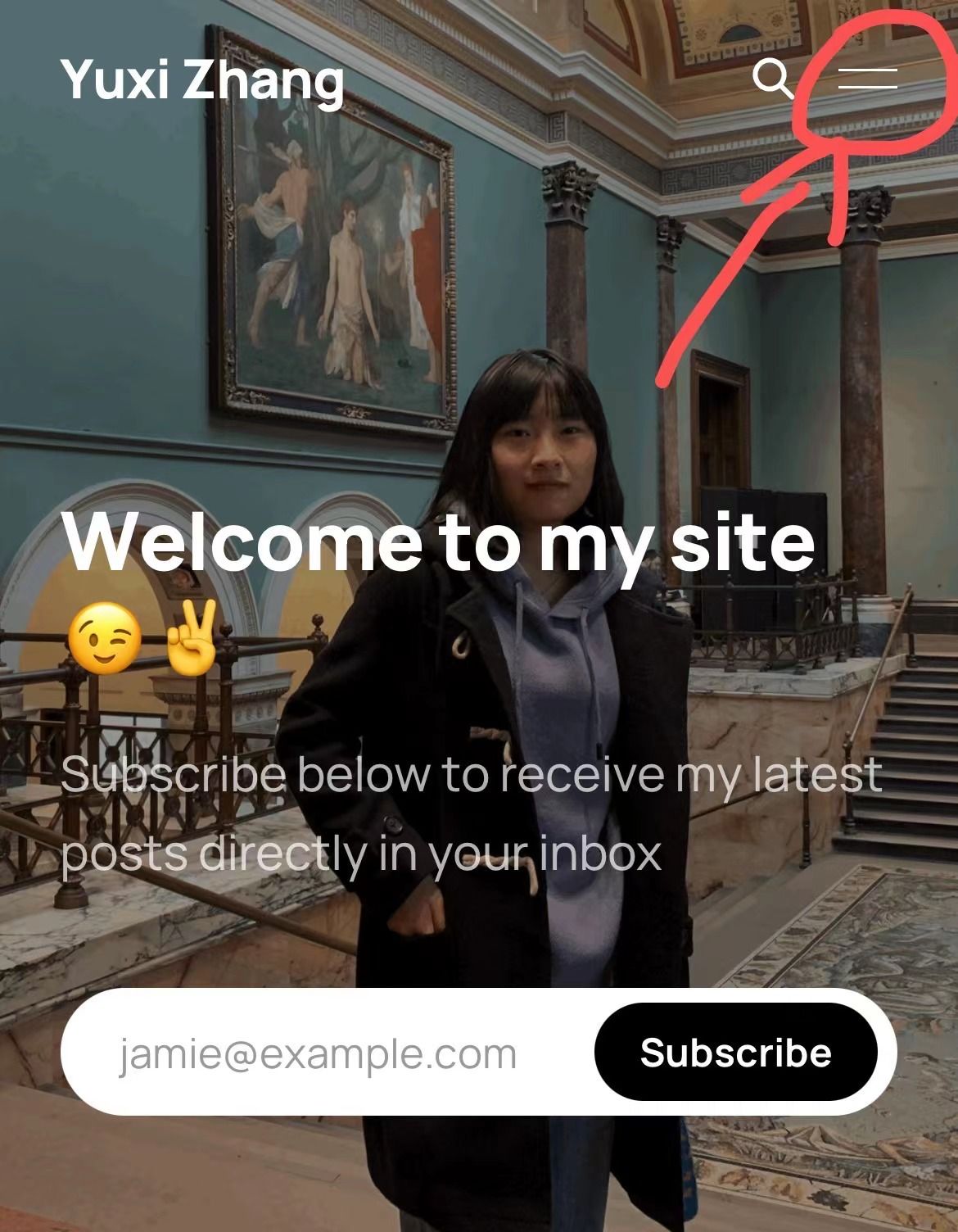
And it should expand to all the pages I currently have just like this:
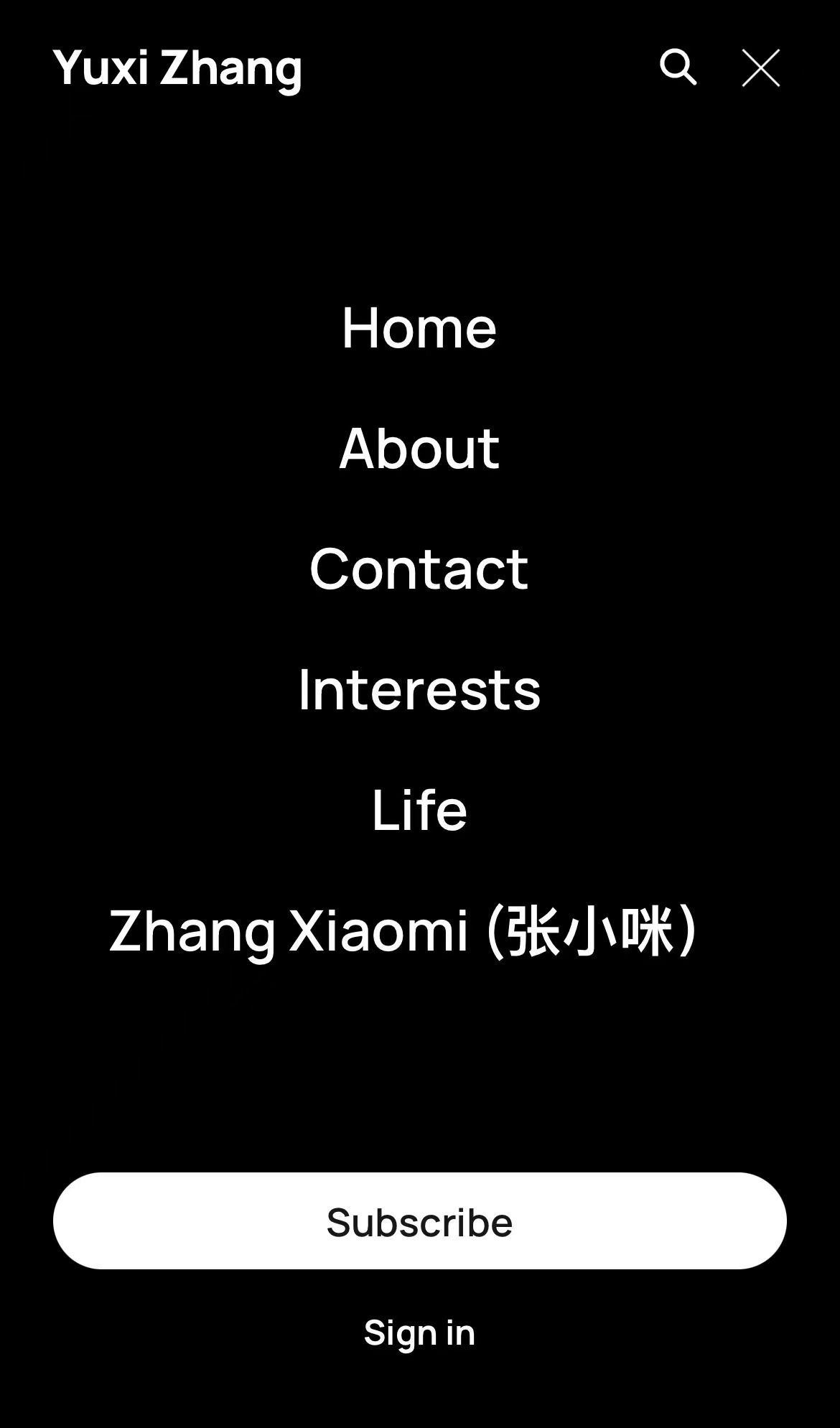
Alright, there you go! Enjoy my site and explore it as you wish.

In the end...
I intend to maintain this unique site meaningful and dynamic. That means I want it to improve just as the personal growth of its creator, yeah, me. Let's grow together! We might encounter some problems along the way, but no big deal. We'll survive. Just get up and move forward guys! Hakuna Matata.

BOOM! If you're seeing this, congratulations! You've literally, like legitimately reached a milestone with me. Thank you. It would've been nothing without you.